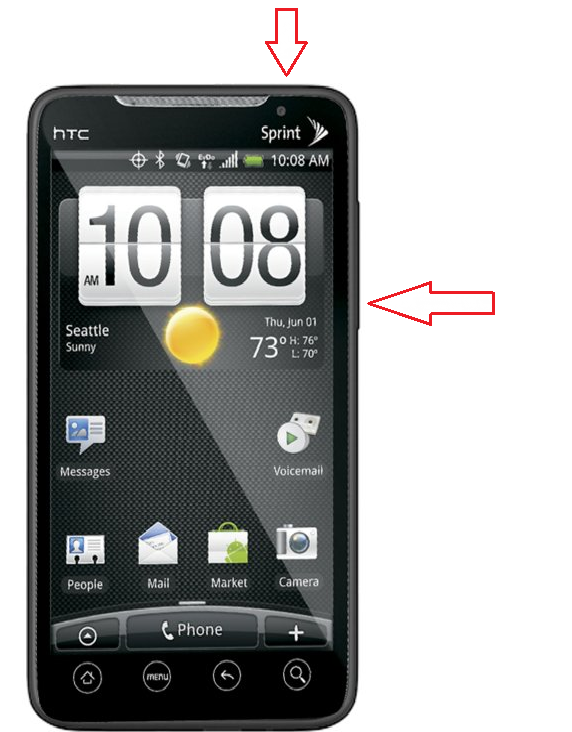
HTC Evo
-
Turn the power off. If your HTC EVO 4G is frozen, pull the battery out and reinsert it
-
Hold the Volume Down button (right)
-
Press and release the Power button
-
You are now presented with a menu that allows for Fastbook, Recovery, Clear Storage, and Simlock
-
Select Clear Storage by pressing the Volume Down button
-
Press and release the Power button
-
Now simply confirm your decision: Volume Up for YES and Volume Down for NO

samsung intercept
-
Turn the power off.
-
If your Samsung Intercept is frozen, pull the battery out and reinsert it
-
Hold the Volume Down button Press and release the Power button
-
You are now presented with a menu that allows for Fastboot, Recovery, Clear Storage, and Simlock
-
Select Clear Storage by pressing the Volume Down button and press and release the Power button
-
Now simply confirm your decision: Volume Up for YES and Volume Down for NO
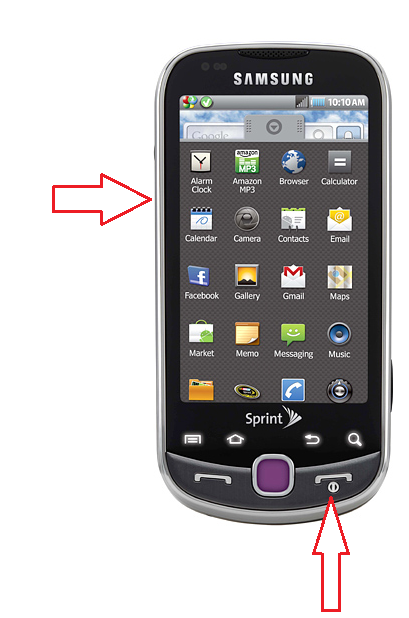
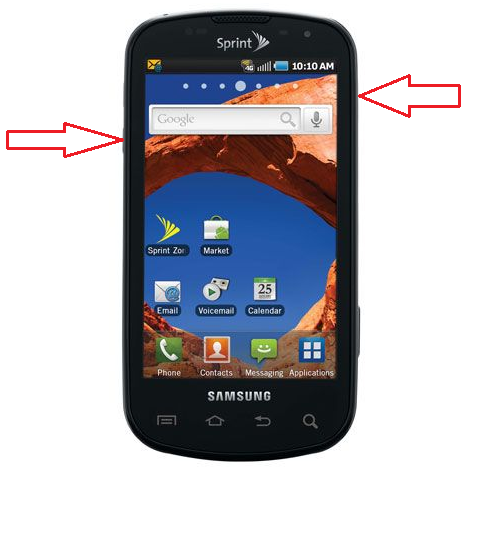
- Turn the power off. If your Samsung Transform is frozen, pull the battery out and reinsert it
- Hold the Volume Down button (left)
- Press and hold the Power button (right) until the device turns on
- You are now presented with a menu that allows for Fastbook, Recovery, Clear Storage, and Simlock
- Select Clear Storage by pressing the Volume Down button
- Press and release the Power button
- Now simply confirm your decision: Volume Up for YES and Volume Down for NO
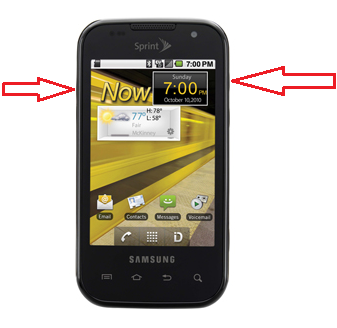
LG Optimus
-
Turn the power off. If your LG Optimus S is frozen, pull the battery out and reinsert it
-
Hold the Home and Volume Down button (right)
-
Press and hold the Power button (top right) until the device turns on
-
Follow the on-screen instructions to reset your device , volume down to wipe data factory reset and press menu button > volume down to yes delete all user data and press menu button (square button )> reboot system now press menu button.
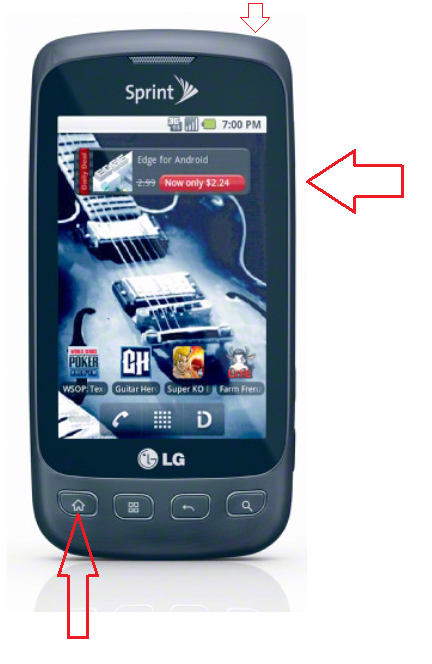
Samsung Epic
- Turn the power off. If your Samsung Epic 4G is frozen, pull the battery out and reinsert it
- Hold the Volume Down button
- Press and release the Power button
- You are now presented with a menu that allows for Fastbook, Recovery, Clear Storage, and Simlock
- Select Clear Storage by pressing the Volume Down button
- Press and release the Power button
- Now simply confirm your decision: Volume Up for YES and Volume Down for NO
Samsung Tab
1. With the device off, press and hold Volume Up and Power.
2. Release the Power button when you see the Samsung logo, but continue to hold Volume Up until the recovery screen appears.
3. Use the Volume buttons to navigate the menu and select wipe data / factory reset. Press Home to choose the selection.
4. Press Volume Up continue.
The Galaxy Tab should then go through the hard reset process
Samsung Intrepid
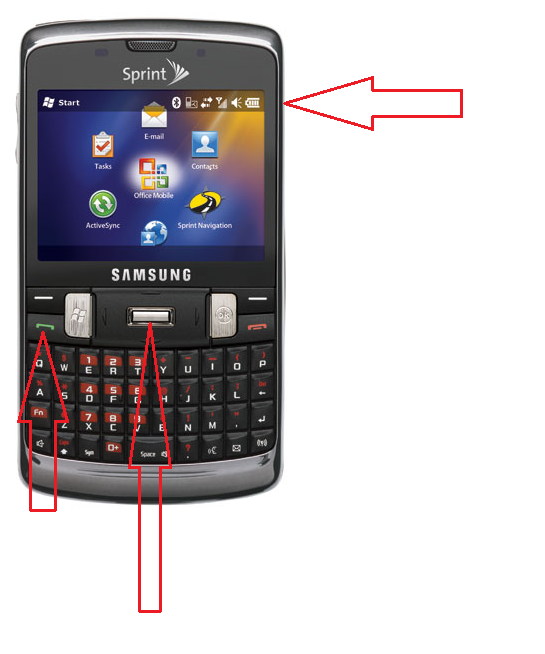
- Push and hold the power button (right) until the Shutdown box appears then touch OK to power down the handset
- Press and continue to hold the Enter/Settings key (center) while pushing the power button to restart the handset (Do NOT let go of either key until the format screen appears)
- Touch the green Talk key (left) to format the handset while deleting all data and restoring the factory default settings.
Touch pro 2
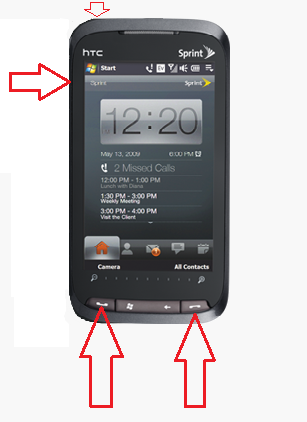
- Remove and reinsert battery but dont turn on.
- While the HTC Touch Pro 2 is off, press and hold Talk/Send, End and Power (in that order) until you see a message on the screen about deleting all data.
-
Release the buttons after the message appears.
-
Press the Volume Up button
Palm treo 700p/755p
-
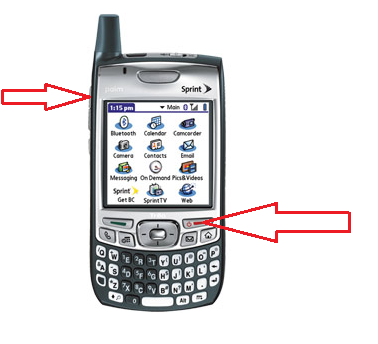
Disconnect the Treo from a charger or USB cable.
-
Remove the battery cover and take out the battery.
-
Press and hold Power/End while you insert the battery.
-
When the screen lights up with the logo appears, release Power/End.
-
Press Up when the Erase all data prompt appears.
-
Press Up to confirm the hard reset.
755p 700p
To use hardware keys to hard reset the Sanyo ZIO:
1) With power off, hold Volume DOWN, then red POWER key at same time
2) Release POWER key when SANYO is displayed
3) Android and Triangle will display, release VOLUME
4) Select "Wipe data/factory reset" with trackball
5) Scroll down and select the only "Yes" option with trackball
6) After displaying "wipe complete", press trackball
7) Device will restart and then setup as usual
