Blackberry ID issues
in many cases the BlackBerry ID has not been created successfully and therefore will not let you past that screen.... go to www.blackberry.com/blackberryid and try to create a new BlackBerry ID , and then log in from the device.
Still others have been sucessful by editing to allow ALL permissions for App World.
* Go to Options/Settings > Advanced Options > Applications, (you will see your list of all your apps on your BlackBerry)
* Sroll down to BlackBerry App World, > Click the Menu key > Edit Permissions, and change everything to allow and save it.

Media player error on BB devices
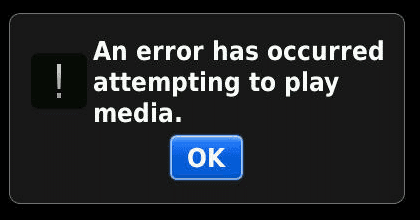
To fix this problem, make sure the BB OS on your device is the latest possible version, then perform the following steps.
1 Using the YouTube optimization tool fixes quite a few issues when playing videos on the BlackBerry smartphone. Users may encounter an Error 404 though when they attempt to use the tool. To fix this problem, try the following steps:
1. Open the Browser.
2. Press Menu.
3. Select Options.
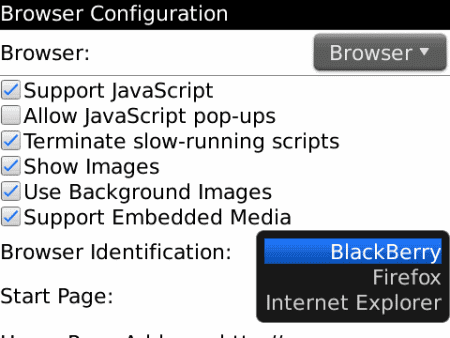
4. Select Browser Configuration.
5. Ensure that Browser Identification is set to BlackBerry.
 .
.
2
1. Open the Browser.
2. Visit http://m.youtube.com
3. Scroll to the bottom of the page and click the Help link.

4. Click the How can i optimise YouTube Mobile for my device link.

5. Click the optimise page link.

6. Click Start optimisation.
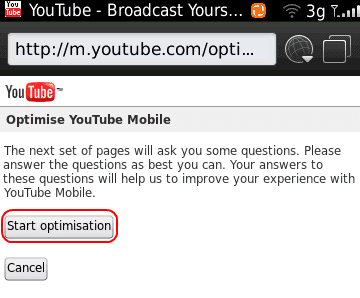
7. Answer the questions as follows:
Yes
Yes
No
Click here.
Skip.
Yes.
No.
YouTube video should play just fine on your BlackBerry now.
SMS icon missing on Blackberry
Click on your Messages icon>Menu button> Options>General Options. Go to "SMS and Email Inboxes", where you'll find 3 options: Theme Controlled, Combined, Separate.Click on Separate.
Menu button and Save. You should have your SMS icon back.

Uncaught Exception Java Lang Error Fix for Blackberry
Option -> Advance Option -> Application -> (Application that customer have just installed or the one with the java error) -> (Menu Button) -> Edit Permission -> Check (Set) Allow All (Check All) -> (Menu Button) -> Save -> Reset Device (Remove Battery & Restart) -> Now start the program


Wifi Error on BB device
If you get an error message that states: “This is a Wi-Fi service, please ensure you have an active Wi-Fi and try again” and you have already disabled Wi-Fi, follow these steps to fix it.
options > advanced options > browser configuration> change the default browser from hotspot browser to internet browser.

Caller ID is not working on Blackberry device ( only show number)
Many people have their phone set up to automatically lock after a period of time or when they holster the phone to avoid having the buttons pressed on the keyboard. When the phone goes into lock mode the caller ID will stop functioning correctly whenever you receive incoming calls.
we have to enable the feature called "content protection"
Home screen>menu>options>security>general settings>content protection (set it to disable) press D on keyboard when content protection is highlighted>save.

How to downgrade Blackberry OS version
1. Delete the newer OS from your 3. Install the older OS to the PC by running (double clicking) the file the customer downloaded.
4. Go to c:\program files\common files\research in motion\apploader and delete the file named "vendor.xml." (right click >delete)
Vista/7 XP
5. With the blackberry sync and already backed up, double click on "Loader.exe." It's located in the same place as the above vendor.xml file.
Vista/7 XP
NOTE: This process is the same in case the customer wants to install a different OS from a different career (in this case the device OS will be unsupported by sprint due the OS)


